
Solucionador de matemáticas con IA
Resuelve problemas de matemáticas con IA y explicaciones paso a paso.
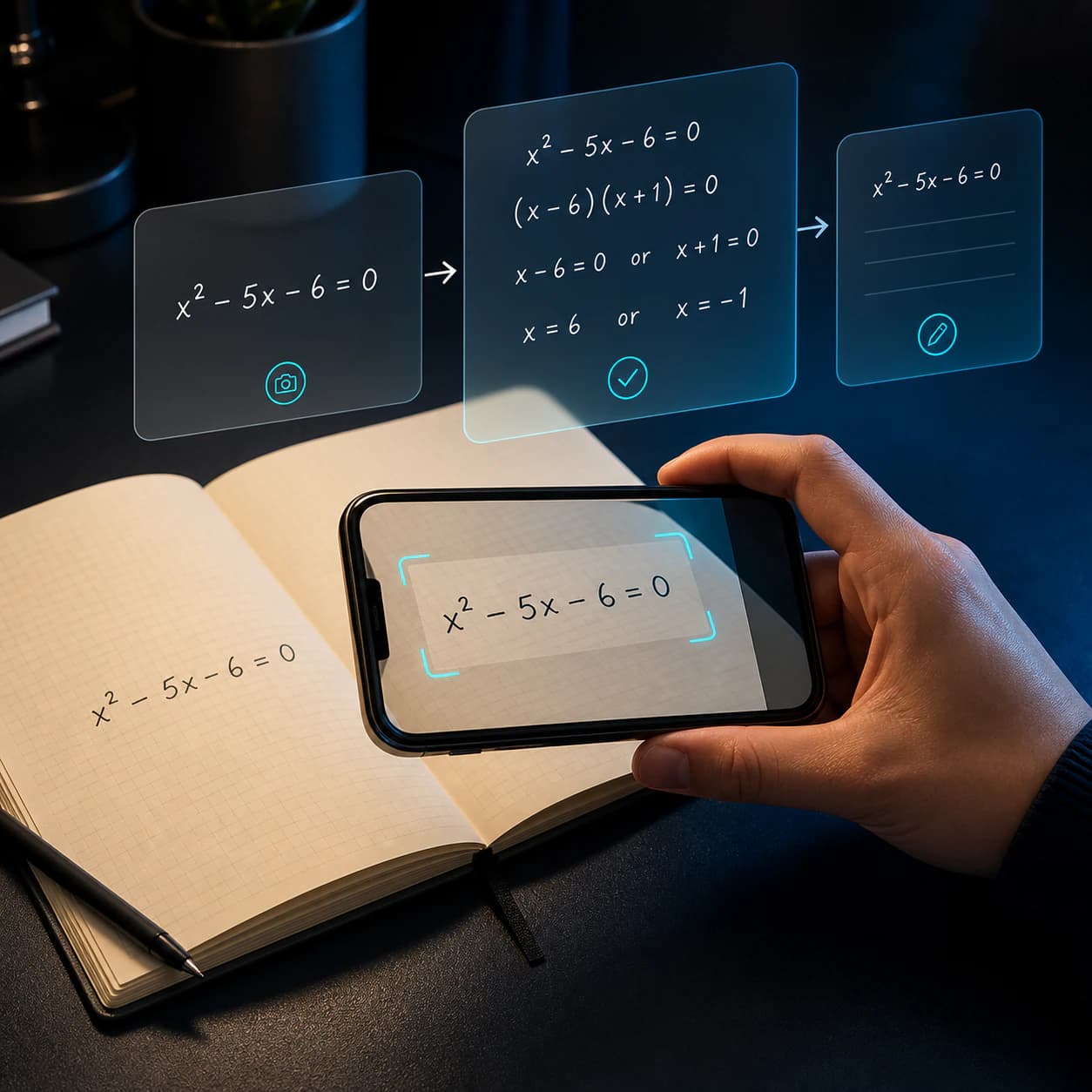
Haz una foto del ejercicio o escríbelo. Eqora lo interpreta, explica el procedimiento, responde tus preguntas y crea cuestionarios o tarjetas para practicar.
- Resuelve ejercicios impresos o escritos a mano
- Sin registro. Empieza gratis
- Disponible en iOS, iPhone y iPad
01020304
Empieza con claridadTrae el problema completo
Sigue adelanteRazona, pregunta, practica
Mira Eqora en acción
Un problema. Cada siguiente paso útil en la misma app.
Eqora conecta un escáner de matemáticas por foto, un solucionador de tareas y un asistente de matemáticas con IA en un solo flujo. Empieza con el problema que tienes delante, quédate con la explicación hasta que quede claro y practica hasta que el método sea realmente tuyo.

01
CapturarTrae el problema completo
Mantén el enunciado, la notación y tu propio intento juntos desde el principio.
02
RazonarDesglosa el método
Sigue el razonamiento en orden y detente en el primer salto que no entiendas.
03
PreguntarPregunta por lo que falta
Pide una explicación más simple, otro método o un ejemplo más pequeño en contexto.
04
AplicarComprueba que la idea te quedó clara
Termina con un problema parecido, un cuestionario o una pregunta breve de repaso para comprobar que puedes aplicar el método.
La respuesta corta
¿Cómo funciona un asistente de matemáticas con IA para las tareas?
Un asistente de matemáticas con IA ofrece más que un resultado final. Fotografía una pregunta impresa o escrita a mano, introduce una ecuación o describe exactamente qué idea te confunde. Eqora explica el método paso a paso y permite seguir preguntando.
Pregunta por qué una transformación es válida, pide un ejemplo más pequeño, compara otro método o crea práctica del mismo tema. Una calculadora evalúa; un solucionador por foto lee el problema; un tutor te ayuda a revisar el razonamiento. Eqora reúne los tres roles en iPhone y iPad.
Entrada por foto o textoRazonamiento paso a pasoPreguntas adicionalesPráctica del mismo tema
Lee la guía completa Más que la respuesta
Termina el problema de esta noche. Entiende también la versión de mañana.
Una respuesta final puede completar un ejercicio. No te enseña a reconocer el mismo método cuando cambian los números.
Eqora te deja ralentizar el paso exacto en el que te perdiste, preguntar por qué funciona, comparar otro método y probar la idea en un problema nuevo.
Disponible para iPhone & iPad
Tu tutor de matemáticas, justo en tu iPhone.
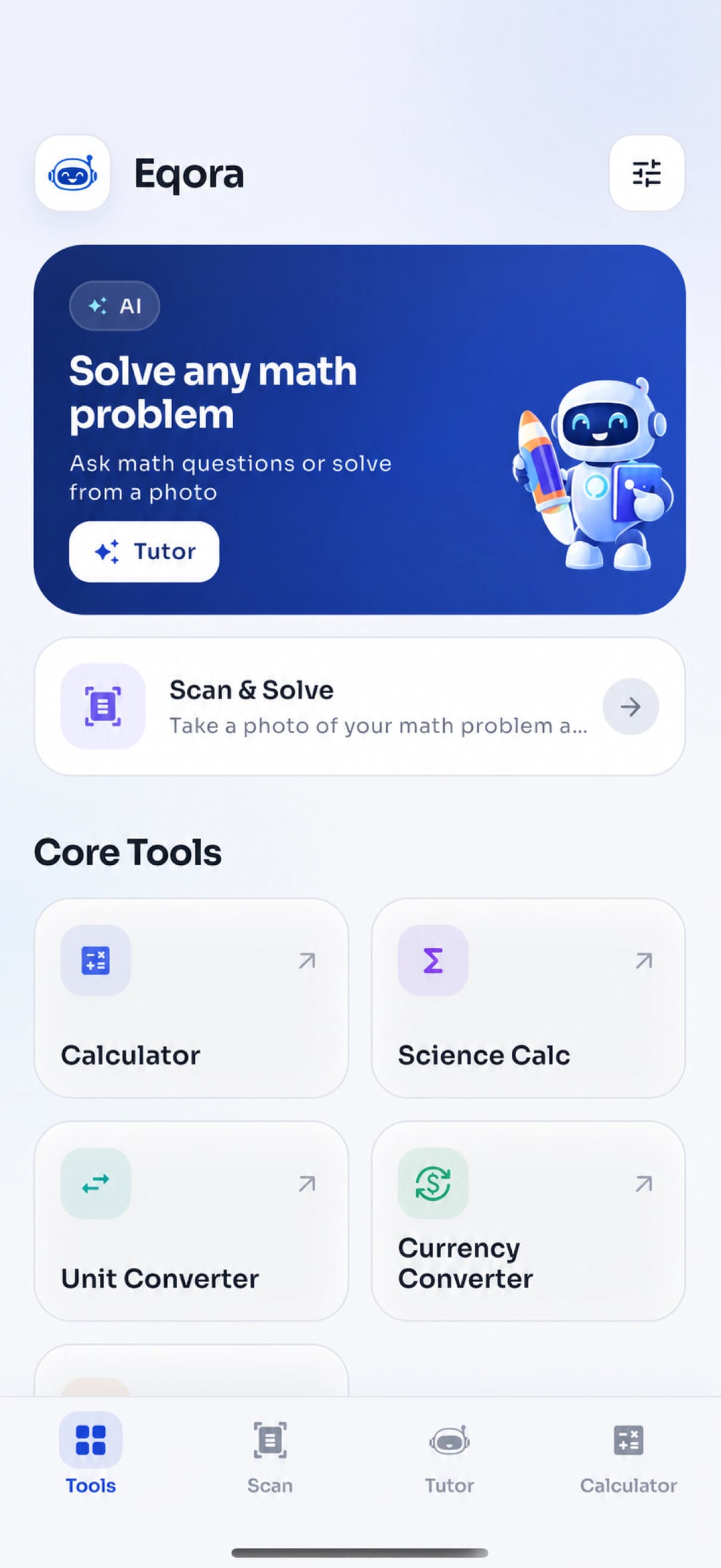
Eqora reúne un solucionador de matemáticas con IA, escáner por foto, gráficas y herramientas de práctica en una app iOS pensada para estudiar. Empieza con una pregunta, revisa el razonamiento y sigue preguntando hasta que el método tenga sentido.
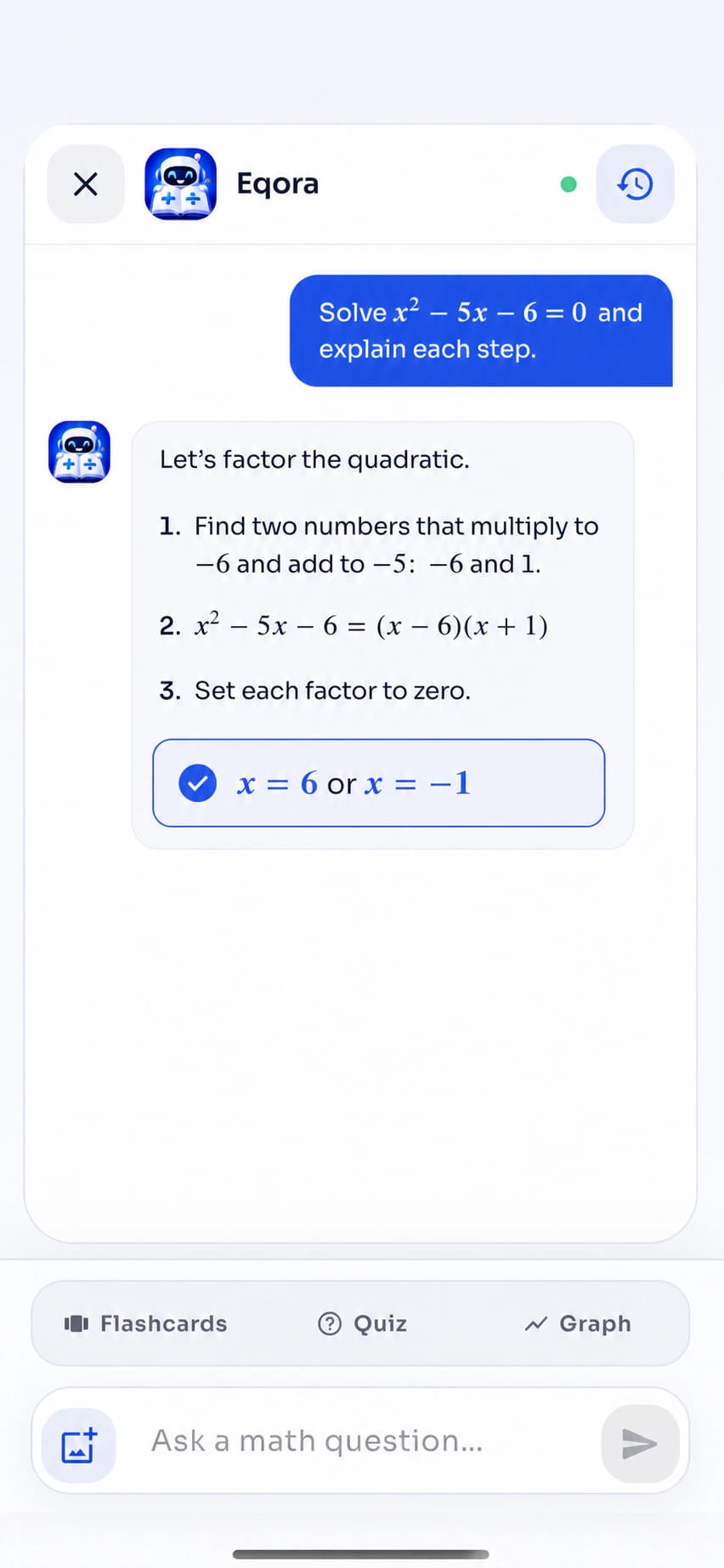
- Resuelve ecuaciones con explicaciones claras
- Haz preguntas adicionales en el mismo chat
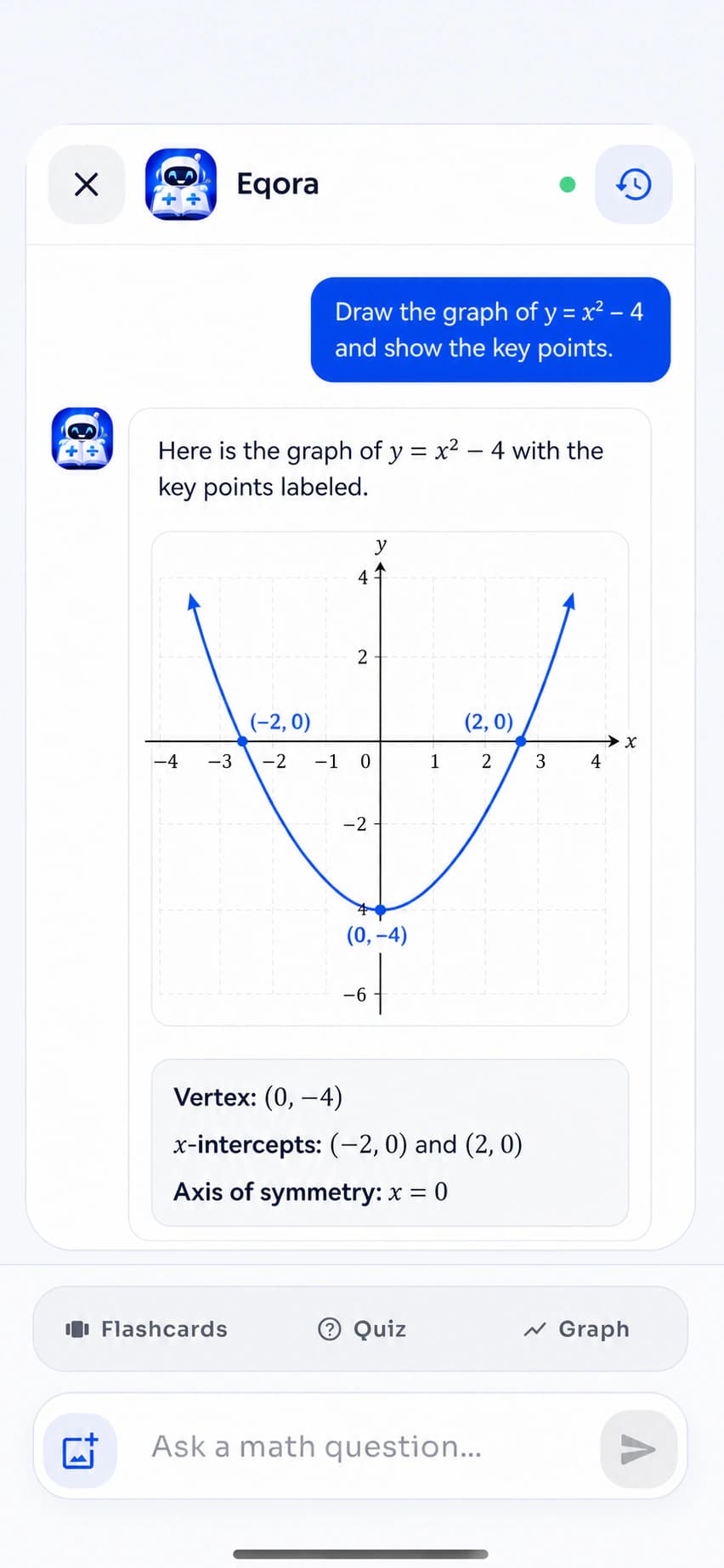
- Convierte funciones en gráficas
- Escanea tareas o escribe el problema tú
ExplorarDesliza o usa los controles
Hecho para el estudio real
Un asistente para las tareas que te mantiene dentro del razonamiento.
Usa el asistente para tareas con IA cuando una hoja deja de tener sentido, un concepto necesita otra explicación o la práctica de examen revela un punto flojo. El objetivo es ayuda útil con los tareas sin sustituir tu propio intento.

Noche de tareas
Quédate en el paso difícil en lugar de abandonar todo el problema.
Una pregunta adicional bien enfocada puede convertir un bloqueo nocturno en una idea concreta para repasar mañana.

Preparación de exámenes
Usa las explicaciones para localizar temas flojos antes de que lo haga el examen.
Repasa el método, genera un cuestionario corto y mete las ideas fallidas en el siguiente bloque de repaso.

Recuerdo activo
Convierte una pregunta resuelta en algo que puedas recuperar de memoria.
Termina con tarjetas, un problema parecido y una explicación final con tus propias palabras.
Un ejemplo real, paso a paso
Explora el razonamiento dentro de una ecuación cuadrática.
Elige una etapa para ver cómo una explicación útil pasa de leer la estructura a elegir un método, resolver y comprobar el resultado.
Recorrido interactivo del productoProblema de ejemploResuelve la ecuación cuadrática
x² − 5x − 6 = 0
Listo para resolverPaso 1 · Lee la estructura
Identifica qué tipo de problema es.
Esta es una ecuación cuadrática en forma estándar. Nombrar los coeficientes hace la estructura más fácil de trabajar.
a = 1, b = −5, c = −6
El objetivo es encontrar cada valor de x que hace que la expresión sea igual a cero.
Cuatro capítulos de producto conectados
Usa la herramienta más pequeña que haga avanzar tu aprendizaje.
01 / Scan & Solve
Empieza con un solucionador de matemáticas por foto.
El escáner de matemáticas captura un ejercicio impreso o a mano, te deja recortar lo que no toca y devuelve una explicación estructurada. Este flujo por foto evita reescribir expresiones largas y mantiene la atención en el razonamiento.
- Cámara o biblioteca de fotos
- Flujo de recorte enfocado
- Contexto de conversación guardado
02 / Tutor de matemáticas con IA
Quédate con la pregunta hasta que el método quede claro.
Una primera explicación del solucionador no puede saber qué línea te confundió. Continúa con el tutor de matemáticas con IA: cuestiona un cambio de signo, pide un ejemplo más pequeño, compara métodos o pregunta qué practicar a continuación.
- Preguntas adicionales en contexto
- Explicaciones alternativas
- Práctica desde el mismo chat
03 / Aprender y practicar
Convierte un problema resuelto en una habilidad reutilizable.
Abre Aprender matemáticas cuando necesites el concepto antes del ejercicio. Genera un cuestionario para probar la aplicación, guarda ideas clave como tarjetas o dibuja una gráfica cuando la notación necesite verse.
- Lecciones de temas estructuradas
- Cuestionarios y tarjetas
- Gráficas de funciones generadas con IA
04 / Herramientas de matemáticas
Haz el cálculo práctico sin cambiar de app.
Algunas tareas necesitan una utilidad enfocada, no una conversación con IA. Mantén cálculo normal y científico, unidades, divisas y porcentajes en el mismo espacio limpio.
- Calculadora normal y científica
- Conversión de unidades y divisas
- Calculadora de porcentajes
App gratis de matemáticas con IA para iPhone y iPad
Un escáner de matemáticas, un tutor con IA y herramientas de estudio en la misma app.
Eqora se descarga gratis en iPhone y iPad compatibles. Empieza con el solucionador por foto cuando la pregunta ya está en papel, continúa en el tutor de matemáticas con IA cuando un paso necesita más explicación y termina con práctica que comprueba tu memoria.
- Escanea matemáticas impresas o a mano
- Haz preguntas adicionales en contexto
- Crea cuestionarios, tarjetas y gráficas


Elige el tipo de ayuda de matemáticas adecuado
¿Solucionador por foto, asistente con IA o calculadora?
Resuelven problemas de estudio distintos. Empieza con la herramienta más pequeña que responda a la pregunta que realmente tienes y pasa a la explicación o la práctica solo cuando ayude.
La pregunta ya está en el papel.
Escanea una hoja, un libro o un ejercicio del cuaderno cuando reescribirlo sería lento o propenso a errores. Incluye el enunciado completo, recorta problemas ajenos y confirma que signos, fracciones y exponentes se leyeron bien.
Mejor punto de partida- Ejercicios impresos
- Letra clara
- Ecuaciones largas
- Comprobaciones de tareas
Necesitas entender el porqué.
Ve más allá de la primera solución cuando un paso avance demasiado rápido, la explicación no te resulte clara o quieras comparar métodos. Una pregunta adicional precisa suele ser más útil que pedir una respuesta más larga.
Mejor punto de partida- Pasos poco claros
- Preguntas de concepto
- Métodos alternativos
- Pedidos de práctica
Ya conoces el método.
Elige una calculadora normal o científica para aritmética, evaluación, porcentajes y comprobaciones rápidas. Usa conversores para unidades o divisas. Vuelve a la tutoría cuando lo que falta es razonamiento, no cálculo.
Mejor punto de partida- Comprobaciones numéricas
- Funciones científicas
- Porcentajes
- Conversiones de unidades
Todo dentro de Eqora
Un espacio para resolver, aprender, practicar y comprobar.
Esta app de tareas conecta un escáner de matemáticas, un solucionador, un tutor conversacional, práctica y herramientas de cálculo. Usa solo lo que necesita el momento de estudio actual.
01Traerlo
Empieza con el problema que tienes delante.
Usa la cámara o el teclado. Elige lo que deje más claras la notación y el enunciado completo.
Escáner por fotoCaptura matemáticas impresas o a mano y recorta exactamente el ejercicio.
Preguntas escritasPregunta directamente cuando necesites ayuda con un concepto o ya sepas qué escribir.
02Entender
Quédate con el razonamiento.
Pasa de un método resuelto al concepto o visual exacto que aclara el siguiente paso.
Ayuda paso a pasoSigue el razonamiento intermedio en lugar de saltar a la última línea.
Preguntas adicionalesPregunta por qué, pide un lenguaje más simple u otro método de resolución.
Gráficas de funcionesVisualiza forma, raíces, cortes con los ejes, pendiente y comportamiento de la función.
03Practicar
Convierte la ayuda en recuerdo.
Repasa la idea, ponla a prueba y vuelve a ella sin tener la solución abierta al lado.
Aprender matemáticasRepasa temas estructurados desde lo básico hasta el cálculo.
Cuestionarios generadosComprueba si puedes aplicar la idea sin volver a leer la solución.
Tarjetas inteligentesConvierte fórmulas y conceptos clave en preguntas compactas para practicar de memoria.
04Calcular
Mantén cerca las herramientas de matemáticas del día a día.
Comprueba un cálculo o una conversión sin romper el ritmo de estudio.
CalculadoraCambia entre modos normal y científico dentro de la misma app.
Conversor de unidadesConvierte medidas habituales para clase y para el día a día.
Conversor de divisasTen conversiones de moneda comunes junto al resto de tus herramientas de matemáticas.
Herramientas de porcentajesCalcula cambios porcentuales, proporciones, descuentos y comprobaciones rápidas.
Pide la ayuda que realmente necesitas
Mejores preguntas, mejores sesiones de estudio.
Un buen asistente para tareas con IA debería adaptarse a la pregunta detrás de la pregunta. No te quedes en «resuelve esto». Pide un diagnóstico, una explicación más simple, un segundo método, una gráfica o una forma de ponerte a prueba.
Lee la guía del tutor01Diagnosticar
«¿En qué punto exacto se equivocó mi planteamiento?»
Comparte tu intento y céntrate en el primer paso incorrecto.
02Simplificar
«Explícamelo otra vez con un ejemplo más sencillo.»
Cambia la explicación sin cambiar la idea de fondo.
03Comparar
«¿Puedo resolverlo con otro método?»
Mira cuándo conviene factorizar, sustituir o usar una fórmula.
04Visualizar
«Representa la función y explica los cortes con los ejes.»
Conecta el álgebra con la forma de la curva.
05Practicar
«Dame un problema parecido, pero oculta la respuesta.»
Transfiere el método antes de que la explicación se te escape.
06Recordar
«Crea cinco tarjetas con las ideas clave.»
Comprime la sesión en preguntas a las que puedas volver después.
A lo largo del temario
Construye la base. Mantén el mismo ciclo de aprendizaje cuando las matemáticas se vuelvan más difíciles.
Resuelve problemas de matemáticas en fundamentos, álgebra, geometría, trigonometría, estadística y cálculo. Del sentido numérico a las tasas de cambio, el objetivo sigue siendo el mismo: que cada transformación se pueda explicar.
Fundamentos
Fracciones · razones · porcentajes · exponentesRefuerza las operaciones y el sentido numérico en los que se apoyan temas posteriores.
Álgebra
Ecuaciones · funciones · factorización · sistemasEntiende por qué cada transformación es válida y cómo se conectan los métodos.
Geometría
Ángulos · figuras · coordenadas · mediciónSepara lo que te da el diagrama de lo que el problema te pide demostrar.
Trigonometría
Triángulos · circunferencia unidad · identidades · gráficasMuévete entre el sentido geométrico, las identidades, las ecuaciones y el comportamiento visual.
Estadística
Probabilidad · distribuciones · datos · interpretaciónHaz el cálculo sin perder de vista lo que significa el resultado.
Cálculo
Límites · derivadas · integrales · tasasConecta notación y reglas con cambio, acumulación, pendiente y área.
Problemas de matemáticas populares
Escanea la pregunta. Luego quédate en la parte que necesita explicación.
Usa el solucionador de matemáticas por foto para temas habituales de secundaria y universidad, y continúa con la parte que necesitas entender. El proceso adecuado depende de si la dificultad está en la notación, el planteamiento, el cálculo, la interpretación o en un conocimiento previo que falta.


01Ecuaciones e inecuaciones
Resuelve 3x² − 2x − 8 = 0Álgebra que muestra cada transformación
Trabaja ecuaciones lineales, cuadráticas, factorización, sistemas, inecuaciones y notación de funciones. Pregunta por qué cambia un signo, cuándo hay que comprobar una solución o si otro método es más corto.
Explorar este tema02Problemas de enunciado
Convierte la situación en una ecuaciónTraduce la historia antes de calcular
Separa lo dado de lo desconocido, define variables, arma la ecuación y comprueba si el valor final tiene sentido en la situación original.
Explorar este tema03Geometría
Encuentra la longitud o el ángulo que faltaConecta el diagrama con la regla
Explora geometría de coordenadas, área, volumen, ángulos, semejanza y preguntas basadas en teoremas. Mantén visibles las etiquetas y las medidas dadas al escanear un diagrama.
Explorar este tema04Trigonometría
Resuelve sin(x) = 0.5Muévete entre triángulos, identidades y gráficas
Pregunta cómo cambia el método si usas la circunferencia unidad, un triángulo rectángulo, una identidad o la gráfica de una función. Luego rastrea de dónde salen las restricciones u otras soluciones.
Explorar este tema05Estadística y probabilidad
Interpreta el resultado, no solo el númeroMantén el significado junto al cálculo
Repasa planteamientos de probabilidad, estadística descriptiva, distribuciones y preguntas con datos. Usa preguntas adicionales para distinguir lo que calcula una fórmula de lo que dice el resultado.
Explorar este tema06Cálculo
Límites · derivadas · integralesVe qué está describiendo la notación
Sigue los pasos de diferenciación e integración, vuelve al álgebra previa y usa gráficas para conectar reglas simbólicas con pendiente, cambio, acumulación y área.
Explorar este temaCuando los símbolos necesitan una imagen
Algunas ideas se aclaran en el momento en que puedes verlas.
Pide a Eqora que grafique una función cuando raíces, puntos de inflexión, pendiente o comportamiento a largo plazo aún se sientan abstractos. Usa la imagen para explicar el álgebra sin sustituirla.
- Conecta una ecuación con su curva
- Habla de cortes con los ejes y puntos de inflexión
- Compara cómo los cambios de parámetros afectan la forma


LeerRazonarVerificar
Cómo leer soluciones de matemáticas con IA
Una buena solución paso a paso debería ser fácil de cuestionar.
La respuesta más rápida no siempre es la más útil. Ya uses un solucionador de álgebra, un asistente de cálculo o un solucionador de ecuaciones, detente en el primer paso que no puedas explicar tú. Estas cuatro comprobaciones convierten la ayuda generada para tareas en un proceso de estudio más activo.
Confirma lo que leyó el escáner.
Compara el problema capturado con el original. Un exponente, un signo menos, un paréntesis o una instrucción omitida pueden cambiar todo el método.
Nombra la regla detrás de cada paso.
Una solución de matemáticas paso a paso útil debería decirte por qué una transformación es válida, no solo mostrar una línea más limpia debajo.
Comprueba el resultado en contexto.
Sustituye las respuestas cuando puedas. Revisa unidades, restricciones del dominio, redondeo y si el valor final tiene sentido para la pregunta.
Inténtalo de nuevo sin la explicación.
Cierra la respuesta resuelta y resuelve un problema relacionado. Ese intento independiente revela si el método está disponible desde la memoria.
Ayuda de matemáticas por etapa de aprendizaje
Desde las primeras ecuaciones hasta el cálculo universitario.
La interfaz se mantiene familiar mientras cambian las matemáticas: trae el problema completo, revisa el método, pregunta por la idea que falta y termina con práctica independiente.

Fundamentos
Gana confianza antes de que la notación se densifique.
Usa ejemplos claros de fracciones, razones, porcentajes, números negativos, exponentes, ecuaciones introductorias, medición y geometría. Padres y madres pueden leer los pasos junto al estudiante mientras este sigue a cargo del intento final.

Secundaria
Conecta capítulos en lugar de tratar cada problema como nuevo.
Muévete entre álgebra, funciones, geometría, trigonometría, probabilidad, estadística y cálculo introductorio. Usa cuestionarios para detectar los temas más débiles antes de un examen y preguntas adicionales para repasar exactamente el conocimiento previo que falta.

Universidad
Ralentiza el trabajo avanzado en el paso que importa.
Repasa álgebra de varios pasos, cálculo, métodos cuantitativos y cálculos técnicos sin perder el método de fondo. Verifica el trabajo importante con los materiales del curso y usa Eqora solo donde tu clase permita ayuda con IA.
Aprender funciona mejor en equipo
Útil para estudiantes y para quienes les ayudan a pensar.
Eqora puede dar un punto de partida compartido para la conversación, mientras el estudiante, el padre o la madre, el tutor o el docente mantienen el criterio en sus manos.
Para estudiantes
Un siguiente paso más claro cuando el ejercicio deja de tener sentido.
Consigue ayuda concreta sin perder el hilo de tu propio intento, y luego pon el método a prueba por tu cuenta.
Para padres y madres
Una explicación compartida cuando el método de clase ya no se recuerda bien.
Usa los pasos como punto de partida para conversar y céntrate en por qué funciona el método, no solo en si la respuesta coincide.
Para tutores y docentes
Un apoyo para practicar que complementa la enseñanza humana.
Usa ejemplos generados y preguntas de recuerdo cuando el estudio con IA esté permitido, y deja las expectativas del curso y tu criterio profesional al frente.
Uso responsable de la IA
Trata cada respuesta como algo que hay que revisar.
Tú sigues al mando. Eqora puede malinterpretar una foto o generar un paso incorrecto. Sigue las normas de tu curso y verifica el trabajo importante.
- 01Antes de Eqora
Muestra tu intento
Marca dónde se detuvo tu razonamiento en lugar de dejarle todo el problema a la app.
- 02Durante la ayuda
Cuestiona cada salto
Pregunta por qué se aplica una regla, qué cambió y si otro método lleva al mismo resultado.
- 03Antes de usarlo
Verifica el resultado
Comprueba signos, restricciones, unidades y pasos importantes con materiales aprobados.
- 04Antes de seguir
Inténtalo por tu cuenta
Cierra la explicación y resuelve un problema relacionado sin apoyo.
Después de la primera respuesta
Convierte un problema de matemáticas resuelto en un plan de repaso corto.
Una solución trabajada es solo el comienzo. Usa el mismo tema para revelar un patrón visual, recuperar el método de memoria y comprobar el cálculo final. Así la ayuda con tareas de matemáticas sigue siendo útil después de terminar la pregunta original.
01 · Véelo
Conecta la ecuación con su gráfica.
Pide la gráfica de una función cuando raíces, pendiente, cortes con los ejes o puntos de inflexión se entiendan mejor viéndolos.
02 · Ponlo a prueba
Crea un cuestionario del mismo tema.
Genera un conjunto nuevo de preguntas y resuélvelas sin reabrir la solución paso a paso original.
03 · Compruébalo
Verifica el cálculo con la herramienta adecuada.
Usa la calculadora científica para aritmética y valores de funciones una vez que entiendas el método que estás comprobando.
Un ciclo de estudio sencillo:Explica el método con tus propias palabras.Practícalo en una pregunta nueva.Vuelve más tarde y recupéralo otra vez.
Haz la app más útil
Guías prácticas para mejores entradas y mejores hábitos de aprendizaje.
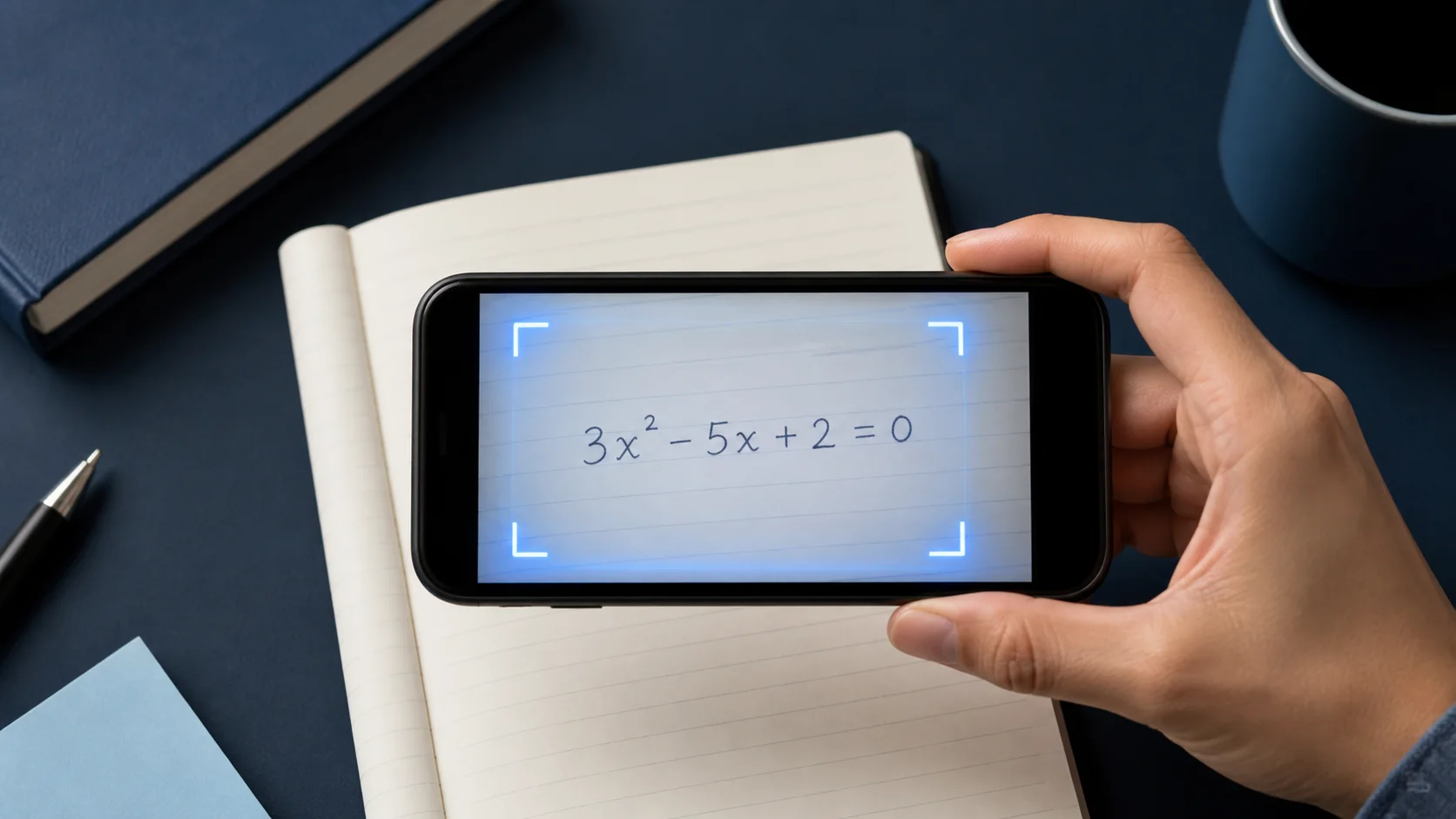
01Escanea mejor
Cómo fotografiar un problema de matemáticas para un resultado más claro
Encuadre, luz, letra a mano, diagramas y los detalles pequeños que mejoran el reconocimiento.
Leer guía
02Aprende mejor
Cómo usar ayuda de matemáticas con IA sin copiar respuestas
Un ciclo práctico de intentar, preguntar y practicar que mantiene el razonamiento en tus manos.
Leer guía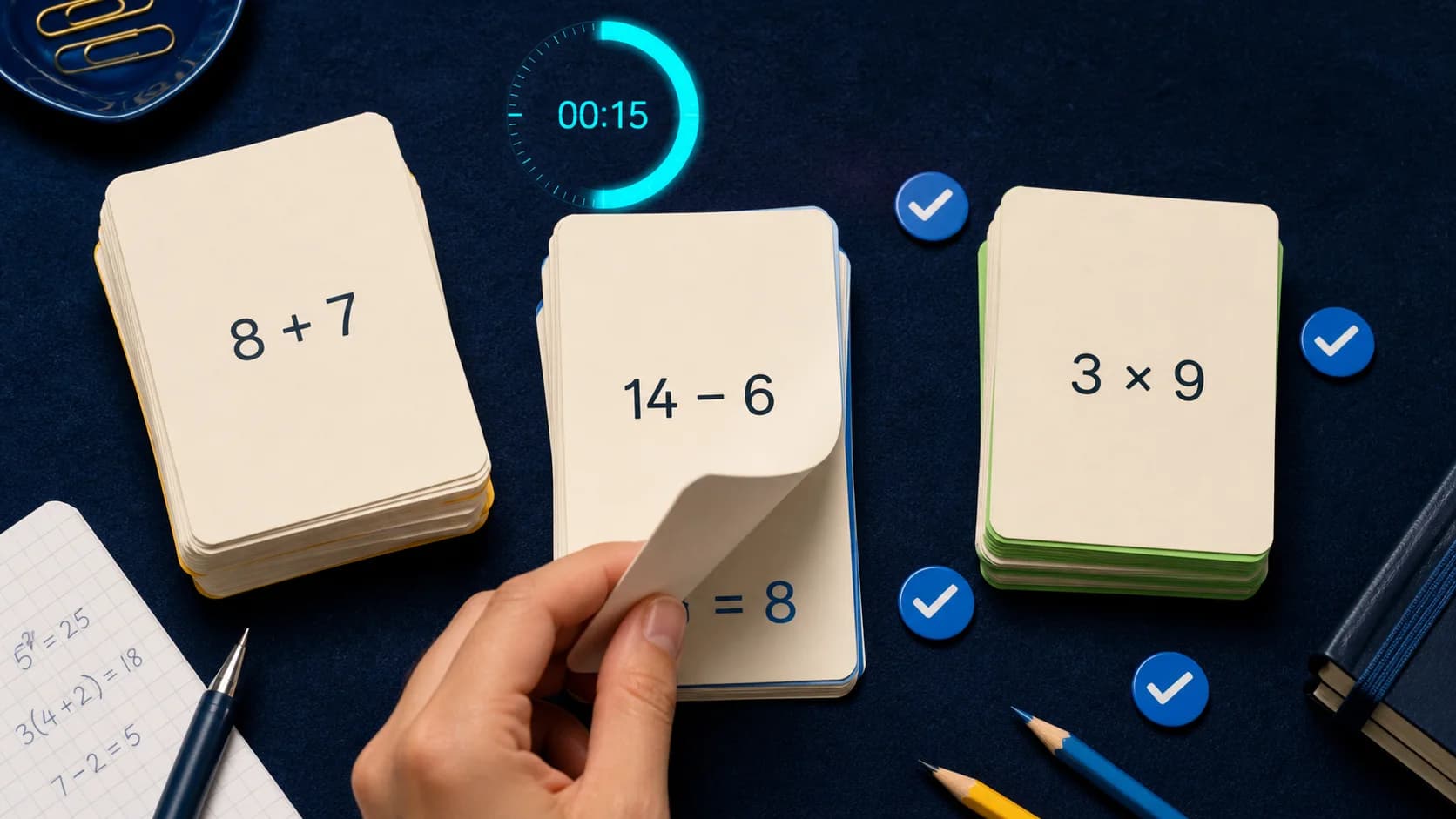
03Repasa mejor
Cómo convertir explicaciones en cuestionarios y tarjetas
Convierte el trabajo resuelto en práctica activa mientras el concepto sigue fresco.
Leer guíaEqora, explicado con claridad
Entiende qué hace la app y dónde la IA sigue necesitando tu criterio.
Respuestas directas sobre funciones, disponibilidad, precios, flujos de estudio y los límites de la ayuda de matemáticas generada.
Ir a soporte¿Qué es Eqora?
Eqora es una app para resolver problemas de matemáticas con IA. Incluye solucionador por foto, tutor, biblioteca de aprendizaje, gráficas y calculadoras para iPhone y iPad. Escanea o escribe una pregunta, estudia la explicación y practica el método.
¿Puede Eqora leer un problema desde una foto?
Sí. Usa Scan & Solve con un problema impreso o a mano, recorta el ejercicio relevante y envíalo para una explicación estructurada. Las imágenes nítidas y bien iluminadas funcionan mejor.
¿Puedo hacer preguntas sobre un paso concreto?
Sí. Continúa en la conversación del tutor para preguntar por qué aplica una regla, pedir un lenguaje más simple, explorar otro método, generar una gráfica o crear práctica.
¿Qué niveles y materias puedo estudiar?
Eqora está pensada para estudiantes desde los niveles básicos hasta la universidad y cubre fundamentos, álgebra, geometría, trigonometría, estadística, cálculo y otros temas. El rendimiento varía según la pregunta.
¿Incluye Eqora cuestionarios y tarjetas?
Sí. Puedes generar cuestionarios y tarjetas a partir de un tema o de una conversación con el tutor, para pasar de leer una explicación a practicar de memoria.
¿Es Eqora gratis?
Eqora se descarga gratis y ofrece suscripciones Premium opcionales para ampliar el uso de la IA. Los precios actuales, los periodos de facturación y las condiciones de renovación aparecen en la app antes de comprar.
¿Las soluciones generadas por IA son siempre correctas?
No. Una foto puede interpretarse mal y la IA puede equivocarse. Comprueba los pasos importantes con los materiales de clase y usa Eqora como apoyo para aprender, no como una lista de respuestas que se aceptan sin revisar.
¿Dónde puedo descargar Eqora?
Eqora versión 1.0 ya está disponible en el App Store de Apple para iPhone y iPad compatibles con iOS 15.6 o posterior. Por ahora no es una app de Android ni web.
