
Scan & Solve · Eqora rehberi
Eqora'da matematik sorularını nasıl tararsın
Kamera fotoğrafından okunaklı, adım adım çözüme pratik adımlar.
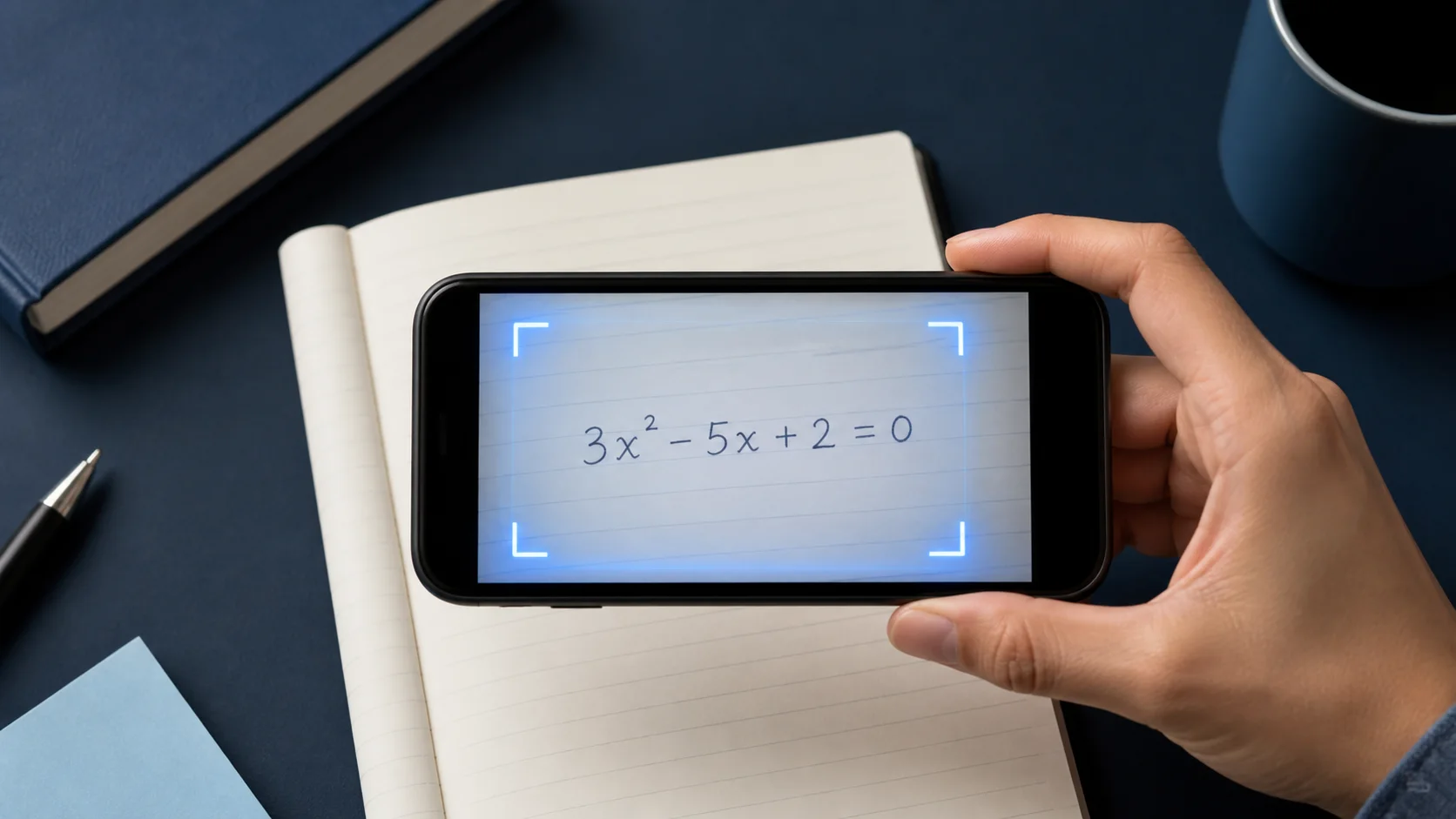
Scan & Solve, fotoğraf zaten tam ve okunaklı soruyu içerdiğinde en hızlıdır. Bu rehber daha net açıklamalar veren fotoğraf alışkanlığını anlatır.


1. Tüm soruyu çerçevele
Sorunun her parçasını içermeli: denklem, verilen değerler ve "sadeleştir" veya "iki ondalık basamağa yuvarla" gibi talimatlar.
Sayfada birden fazla soru varsa üzerinde çalıştığın soruyu kırp.
2. Sayfayı keskin ve eşit aydınlat
Telefonu sabit tut, hareket bulanıklığından kaçın ve parlak ders kitabı sayfalarındaki yansımaya dikkat et.
Üsler veya kesirler üzerindeki koyu gölgeler yanlış yorumun sık nedenidir.
- Kadrajı soruyla doldur
- Eşit, yansımasız ışık kullan
- İlgisiz soruları kırp
3. İncele ve takip soruları sor
Çözümü bir öğretmen anlatıyormuş gibi oku. Bir adım bir şeyi atlıyorsa Eqora'dan o satırı açmasını veya başka bir yöntem göstermesini iste.
Bitirdiğinde yeni taramadan önce benzer bir soruyu kendi başına dene.
4. Çözümü okumadan önce gösterimi kontrol et
Yakalanan soruyu satır satır sayfayla karşılaştır. Eksi işaretler, ondalık virgüller, üsler, kesirler, mutlak değerler, kökler, eşitsizlik işaretleri ve parantezlere dikkat et. Küçük bir tanıma hatası yanlış soru için tamamen tutarlı bir çözüm verebilir.
El yazısında görsel hiyerarşiyi görünür kıl. Üsleri belirgin yaz, kesir çizgisini tam pay ve payda boyunca çiz, parantezleri kapat ve komşu semboller arasında boşluk bırak. Belirsiz karakter yüzünden birçok sonraki adımı düzeltmekten yeni fotoğraf daha hızlıdır.
- Her verilen değeri ve istenen birimi kontrol et
- İşlem ve eşitsizlik işaretlerini doğrula
- Üsleri, indisleri, kökleri ve kesir yapısını karşılaştır
- Tüm talimatın dahil olduğundan emin ol — çöz, sadeleştir, kanıtla veya tahmin et
5. Sözel problemlerde ve diyagramlarda bağlamı koru
Sözel problem son denklemden fazlasıdır. Değişkenleri tanımlayan cümleyi, kısıtları ve sorulan soruyu içerir. Sayıların etrafında çok sıkı kırpma model seçimi veya cevap yorumu için gerekli bilgiyi kaldırabilir.
Tüm problemi, eksenleri, etiketleri, ölçeği, göstergeyi ve işaretli noktaları okunaklı tut. Diyagram tek fotoğrafa temiz sığmıyorsa bir sonraki adımı istemeden önce eksik ilişkiyi konuşmada yaz.
6. Kötü taramayı sistematik düzelt
Sonuç yanlış görünüyorsa aynı fotoğrafı tekrar tekrar gönderme. En erken sapmayı belirle, bir fotoğraf koşulunu değiştir ve yeniden dene. Eşit ışığa geç, kamerayı sayfaya paralel tut, çevredeki soruları kaldır ve sayfayı düz yüzeye koyarak kontrastı artır.
Yakalanan soru doğru ama akıl yürütme hâlâ hatalı görünüyorsa taramayı koru ve tartışmalı satırın kontrolünü iste. Veri sorununu düşünce sorunundan ayırmak hata aramayı hızlandırır ve sorun sürerse destek için daha net mesaj verir.
Gösterim yanlışsa yeniden fotoğrafla. Gösterim doğru ama akıl yürütme belirsizse takip sorusu sor.
Hemen uygulamaya geç
Bugünkü ödevlerinden veya tekrar listenden bir soru seç. Eqora’yı açmadan önce kendin dene ve uygulamayı yalnızca kendi düşüncen bittiği yerde kullan.
- Çözmeye başlamadan önce sorunun ne istediğini söyle
- Gerekçelendiremediğin ilk adımı göster
- Eqora’ya tam bu adım için net bir takip sorusu sor
- Benzer bir soruyla bitir — çözüm elinde olmadan
Öğrenme turu, kağıtta bir cevap olduğunda değil; yöntem daha netleştiğinde tamamlanır.