
Scan & Solve · Eqoraガイド
数学問題を写真で解く方法|きれいに読み取る撮影のコツ
問題の撮影から切り抜き、途中式の確認、追加質問までを順に解説します。
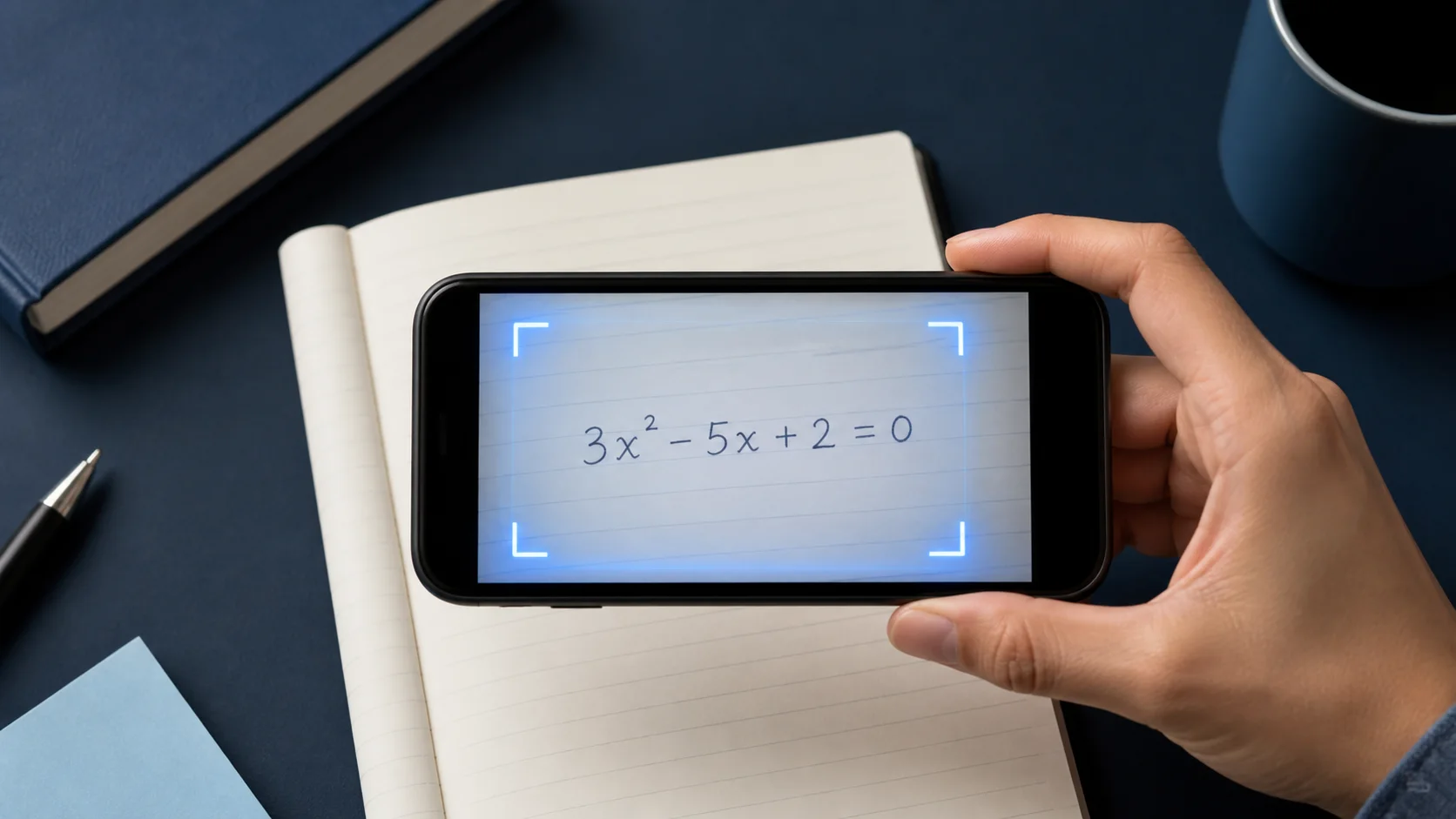
Scan & Solveは、写真にすでに完全で読み取れる問いが入っているときにいちばん速いです。このガイドでは、よりはっきりした解説につながる撮影の習慣を歩きます。


1. 問題全体を枠に入れる
方程式、与えられた値、「簡約せよ」「小数第2位まで四捨五入」などの指示まで、問題文のすべてを含めます。
ページに複数の演習がある場合は、いま取り組んでいる1問に切り抜きます。
2. ページを鮮明に、均一な明るさで
スマホを安定させ、手ぶれを避け、光沢のある教科書ページの反射に注意します。
指数や分数に濃い影がかかるのは、誤読のよくある原因です。
- 問題を画面いっぱいに収める
- 反射のない均一な光を使う
- 関係ない演習は切り抜く
3. 確認してから追加の質問をする
チューターが説明するつもりで解答を読みます。ステップが飛ぶなら、Eqoraにその行を広げてもらうか、別の方法を見せてもらいましょう。
終わったら、もう一度スキャンする前に、似た次の問題を自分で解いてみましょう。
4. 解答を読む前に記法を監査する
取り込んだ問題をページと行ごとに比較します。マイナス、小数点、指数、分数線、絶対値、根号、不等式記号、括弧を特に見ます。小さな認識ミスでも、誤った問題への完全に一貫した解答を生み出せます。
手書きでは、視覚の階層をはっきりさせます。指数をはっきり上げ、分数線を分子・分母全体に伸ばし、括弧を閉じ、隣り合う記号の間に余白を残します。曖昧な文字が原因の下流ステップをいくつも直すより、撮り直す方が速いです。
- 与えられた値と求められる単位をすべて確認する
- 演算と不等式の符号を確認する
- 指数、添字、根号、分数の構造を比較する
- 解く・簡約・証明・推定など、指示全体が含まれているか確認する
5. 文章題と図の必要な情報を残す
文章題は最終方程式だけではありません。変数を定義する文、制約、問われていることを含めます。数字だけをきつく切り抜くと、モデル選択や答えの解釈に必要な情報が消えることがあります。
幾何、統計、グラフの問いでは、ラベルと凡例を読み取れるようにします。図が文章の問題文と離れているときは、可能なら両方をひとつの鮮明な枠に収めます。それが難しいときは、次のステップを頼む前に、欠けた関係をチューターに入力します。
6. 悪いスキャンから系統的に回復する
結果がおかしく見えても、同じ画像を何度も送らないでください。最初の不一致を特定し、撮影条件をひとつ変え、もう一度試します。均一な光へ移し、カメラをページと平行に保ち、周りの演習を除き、紙を無地の面に置いてコントラストを上げます。
取り込んだ問題文は正しいが推論がまだおかしいときは、既存の入力を保ち、気になる行の確認を頼みます。入力の問題と推論の問題を分けると、原因の切り分けが速くなり、問題が続く場合のサポート報告もはっきりします。
記法が誤っているときは撮り直す。記法は正しいが推論が不明なときは追加の質問をする。
今すぐ実践する
今日の宿題や復習リストから一問を選びます。まず自分で取り組み、考えが止まった箇所を確認するときだけEqoraを使いましょう。
- 解く前に、問題が何を求めているかを口に出す
- 理由を言えない最初の一歩を指し示す
- その一歩についてEqoraに的を絞った追加の質問をする
- 解答を見ない似た問題で締めくくる
学習の流れは、紙に答えがあるから終わるのではなく、やり方がより明確になったから終わります。