
Scan & Solve · Hướng dẫn Eqora
Cách quét bài toán bằng Eqora
Luồng thực tế từ chụp ảnh đến lời giải từng bước dễ đọc.
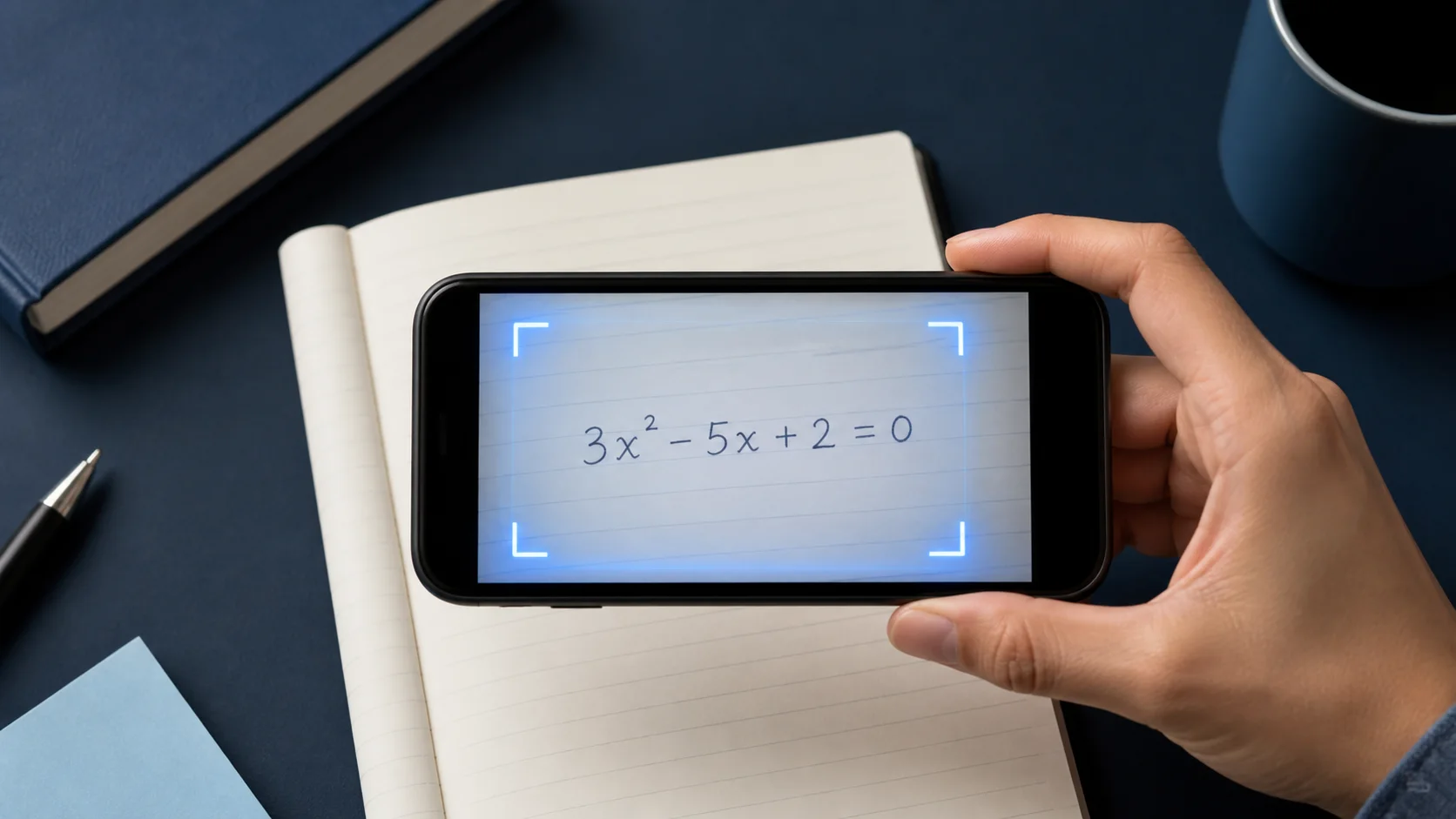
Scan & Solve nhanh nhất khi ảnh đã chứa sẵn bài toán đầy đủ, dễ đọc. Hướng dẫn này đi qua thói quen chụp ảnh mang lại lời giải thích rõ.

1. Cắt khung toàn bộ câu hỏi
Gồm mọi phần của bài: phương trình, giá trị cho sẵn, và hướng dẫn như “rút gọn” hoặc “làm tròn đến hai chữ số thập phân”.
Nếu trang có nhiều bài, hãy cắt đúng bài bạn đang làm.
2. Giữ trang sắc nét và ánh sáng đều
Giữ máy ổn định, tránh mờ do rung, và chú ý chói trên trang sách bóng.
Bóng đậm trên số mũ hoặc phân số là nguyên nhân đọc sai phổ biến.
- Lấp khung bằng bài toán
- Dùng ánh sáng đều, không chói
- Cắt bỏ bài không liên quan
3. Xem lại, rồi hỏi câu hỏi tiếp theo
Đọc lời giải như gia sư đang giải thích. Nếu bước nào nhảy cóc, nhờ Eqora mở rộng dòng đó hoặc chỉ cách khác.
Khi xong, hãy tự thử bài tương tự tiếp theo trước khi quét lại.
4. Kiểm toán ký hiệu trước khi đọc lời giải
So sánh bài đã quét với trang từng dòng một. Chú ý dấu trừ, dấu thập phân, số mũ, gạch phân số, dấu giá trị tuyệt đối, căn, dấu bất đẳng thức và ngoặc. Một lỗi nhận diện nhỏ có thể tạo lời giải hoàn toàn nhất quán cho bài sai.
Với bài viết tay, giữ thứ bậc thị giác rõ. Nâng số mũ rõ ràng, kéo gạch phân số phủ cả tử và mẫu, đóng ngoặc, và để khoảng cách giữa các ký hiệu gần nhau. Chụp lại nhanh hơn gỡ lỗi nhiều dòng dưới tạo bởi chữ mơ hồ.
- Kiểm tra mọi giá trị cho sẵn và đơn vị được yêu cầu
- Xác nhận dấu phép toán và bất đẳng thức
- So sánh số mũ, chỉ số, căn và cấu trúc phân số
- Gồm đủ hướng dẫn — dù là giải, rút gọn, chứng minh, hay ước lượng
5. Giữ ngữ cảnh cho bài toán có lời và hình vẽ
Bài toán có lời hơn phương trình cuối. Gồm câu định nghĩa biến, ràng buộc, và câu hỏi được hỏi. Cắt khung quá chặt quanh số có thể xóa thông tin chọn mô hình hoặc hiểu đáp án.
Với bài hình học, thống kê hoặc đồ thị, giữ nhãn và chú giải dễ đọc. Nếu hình vẽ tách khỏi đề viết, nếu được hãy ghi cả hai trong một khung sắc nét. Khi không thực tế, gõ quan hệ thiếu vào gia sư trước khi yêu cầu bước tiếp theo.
6. Phục hồi từ lần quét kém một cách có hệ thống
Nếu kết quả có vẻ sai, đừng gửi lại cùng ảnh. Trước hết nhận diện chỗ lệch, đổi một điều kiện ảnh, và thử lại một lần. Chuyển sang ánh sáng đều, giữ camera song song trang, bỏ bài quanh đó, và tăng tương phản bằng cách đặt giấy trên bề mặt trơn.
Khi bài đã lấy đúng nhưng lý luận vẫn có vẻ sai, giữ đầu vào hiện tại và yêu cầu kiểm tra dòng đang tranh cãi. Tách vấn đề đầu vào khỏi vấn đề lý luận giúp khắc phục nhanh hơn và tạo báo cáo hỗ trợ rõ nếu vấn đề còn.
Khi ký hiệu sai thì chụp lại. Khi ký hiệu đúng nhưng lý luận chưa rõ thì hỏi câu hỏi tiếp theo.
Đưa vào luyện tập ngay
Chọn một câu hỏi từ bài tập hôm nay hoặc danh sách ôn của bạn. Thử trước khi mở Eqora, và chỉ dùng ứng dụng tại điểm lập luận của chính bạn dừng lại.
- Nói đề yêu cầu gì trước khi giải
- Chỉ ra bước đầu bạn không biện minh được
- Hỏi Eqora một câu hỏi tiếp theo cụ thể về bước đó
- Kết thúc bằng câu hỏi tương tự không có lời giải trước mắt
Vòng học kết thúc khi phương pháp rõ hơn, không chỉ khi tờ giấy có thêm một đáp án.