Sokongan Eqora

Atasi masalah biasa langkah demi langkah.

Bantuan untuk foto, pemprosesan dan hasil AI, pembelian, serta akaun.

Muat turun diApp Store
Free download
Wanita menyemak tetapan Eqora pada telefon

pratonton AI tidak dapat dihasilkan

Masalah boleh berpunca daripada foto, sambungan internet, persetujuan pemprosesan AI, gangguan sementara, atau status pembelian. Semak setiap kemungkinan secara berasingan.

Cuba beralih antara Wi-Fi dan data mudah alih, buka semula aplikasi, serta semak persetujuan AI. Jika banyak permintaan dihantar dalam masa singkat, tunggu sebentar sebelum cuba lagi.

  • Cuba foto lain yang lebih jelas
  • Semak sambungan internet
  • Semak persetujuan pemprosesan AI
  • Kemas kini aplikasi

Tetapan foto dan privasi

Jika foto tidak dapat dipilih, semak akses galeri Eqora dalam tetapan peranti. Jika hanya foto tertentu dibenarkan, tambah imej yang ingin digunakan.

Selepas persetujuan ditarik balik, permintaan AI baharu tidak dapat memuat naik foto. Peraturan lengkap diterangkan dalam dasar privasi.

Pembelian dan langganan

Pembelian App Store diproses oleh Apple. Semak pembayaran, bayaran balik, dan langganan melalui sejarah pembelian serta tetapan akaun Apple.

Jika ciri berbayar tidak muncul, pastikan anda menggunakan akaun Apple yang sama dan gunakan pilihan pemulihan pembelian dalam aplikasi.

Sebelum menghubungi pasukan sokongan

Sediakan penjelasan masalah, skrin tempat masalah berlaku, model peranti, versi iOS dan aplikasi, serta langkah yang sudah dicuba.

Jangan hantar kata laluan, data kad pembayaran, atau maklumat log masuk akaun Apple.

Sokongan mengikut ciri

Cari jawapan untuk alat yang anda gunakan.

Baca soalan tentang penjanaan, penyimpanan, peranti, had, dan cara membaca hasil dengan betul.

Scan & solve

Scan & solve

Yes. Scan & Solve lets you photograph a math problem and receive a step-by-step explanation in the Eqora iOS app.

It can help with many handwritten problems when the writing is clear and the full question is visible. Messy, cropped, or low-contrast photos reduce quality.

No. Eqora is currently distributed only through Apple’s App Store for compatible iPhone and iPad devices.

Yes. After a solve, you can continue in the AI tutor chat, request another explanation, or create study tools such as quizzes and flashcards.

  • Does Eqora solve problems from a photo?
  • Does it work on handwritten homework?
  • Is Scan & Solve available on Android or the web?
  • Can I ask questions after the solution?
AI math tutor

AI math tutor

You can ask about homework problems, exam prep, definitions, worked examples, and follow-ups on a solution you already received—from basic arithmetic through advanced topics.

No. Eqora is an AI planning and tutoring assistant. It can make mistakes; check important steps and practice until you can explain the method yourself.

Yes. Scan a problem, then ask follow-up questions in the same tutoring flow.

Eqora is free to download with usage limits. Premium unlocks higher limits for AI explanations and photo solves. Current offers appear in the app before purchase.

  • What can I ask the Eqora AI tutor?
  • Is the AI tutor a human teacher?
  • Can I start from a photo and continue in chat?
  • Do I need Premium for unlimited tutoring?
Learn Math

Learn Math

Categories include Algebra, Functions, Geometry, Statistics, Number Systems, Trigonometry, and Calculus, with topic libraries under each.

No. Eqora supports learners from basics and middle school through high school and university-level review.

Yes. After studying a topic, you can use AI-generated quizzes and flashcards to check understanding.

No. It is a companion for explanation and practice. Follow your course materials and teacher guidance for assigned work.

  • Which subjects does Learn Math cover?
  • Is Learn Math only for high school?
  • Can I quiz myself after a lesson?
  • Does Learn Math replace my textbook?
Math tools

Math tools

Yes. Eqora includes calculator tools alongside converters for units, currency, and percentages.

Core tools are part of the app experience. AI message and photo limits may still apply to tutoring features; current details appear in the app.

Local calculations work in-app. Live currency rates require a network connection when the app fetches updated rates.

No. Calculator and converters sit beside Scan & Solve, the AI tutor, and Learn Math so Eqora works as a full homework helper.

  • Does Eqora include a scientific calculator?
  • Can I use the tools without Premium?
  • Are converters offline?
  • Is this only a calculator app?

Sebelum menghubungi Sokongan

Semak juga had, kebenaran, dan penggunaan yang betul.

Banyak soalan menjadi lebih jelas apabila ciri, hasil yang dijangka, dan semakan yang sesuai telah ditentukan.

Scan & solve

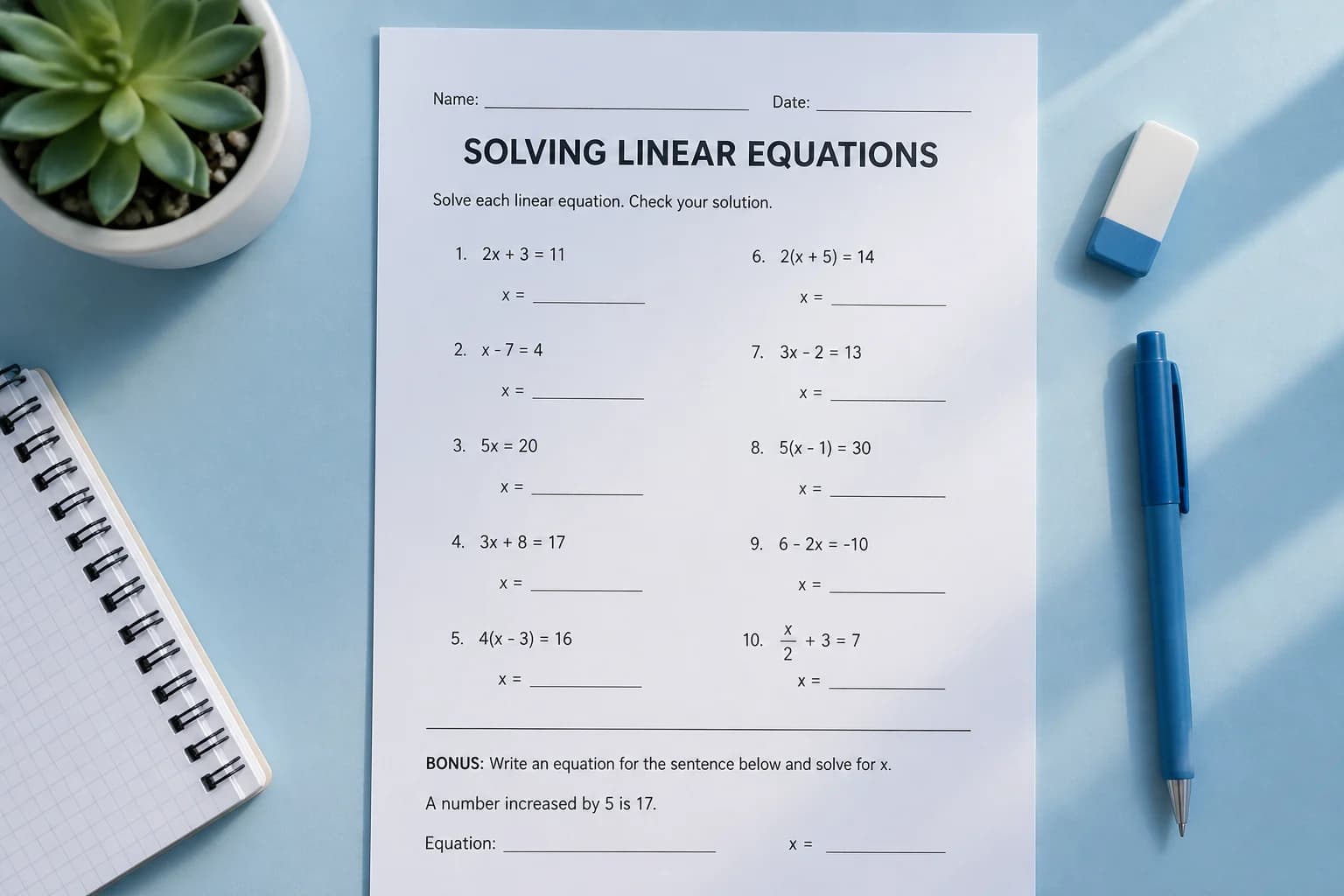
Take a photo of any math problem and get step-by-step help

Students often need help with a printed worksheet, a notebook page, or a textbook exercise. Eqora’s Scan & Solve flow is designed for that moment: open the camera, capture the problem, and get a guided explanation instead of only a final number.

Use it when you are stuck mid-assignment, checking your work before class, or reviewing a problem set before a quiz.

The clearest results come from photos where the full problem is visible, the writing is sharp, and glare does not wash out the page. Hold the phone steady, fill the frame with the question, and avoid heavy shadows across the numbers.

Treat the answer as a learning aid. Double-check units, signs, and whether the prompt asked for exact form, simplified form, or a rounded value.

A strong study habit is to read every step, then explain the method in your own words. If a step is unclear, ask Eqora a follow-up or create a short quiz from the same topic.

Scan & Solve is most powerful when it helps you finish homework faster and remember the method for the next exam—not when it replaces your own practice.

  • Built for real homework, not just tidy typed equations
  • What makes a useful photo
  • From photo to understanding
  • Printed and handwritten math problems
  • Algebra, geometry, trigonometry, and calculus
Scan & solve
AI math tutor

Chat with a personal AI tutor for clear explanations

Homework help is rarely one message long. Eqora is built for follow-ups: “Why did we factor here?”, “Can you show a shorter method?”, or “Give me a similar practice problem.”

That conversational loop is what turns a solved exercise into lasting understanding—especially before quizzes and finals.

Eqora cannot sit your exam for you, see your teacher’s exact grading rubric, or guarantee every generated step is free of mistakes. Use it as a patient tutor: verify key results and practice until you can solve similar problems independently.

For graded work, follow your school’s academic integrity rules. The goal is to learn the method, not to submit unexplained answers.

Eqora processes the math questions you send so it can generate explanations. Review the in-app disclosures and the privacy policy for how chat and photo requests are handled.

Publisher Rocket Digital Limited states its privacy practices on rocketdigital.ai, including terms for AI processing used by the app.

  • A tutor that stays with the question
  • What the AI tutor cannot replace
  • Privacy and consent for AI chat
  • Step-by-step written explanations
  • Follow-up questions in the same chat
AI math tutor
Learn Math

Build concepts with a structured math topic library

Eqora’s Learn Math categories mirror how students actually move through school math: foundations first, then functions, geometry, statistics, trigonometry, and calculus.

Use the library when you want to prepare before class, fill a gap from last semester, or review a chapter before an exam—not only when a single homework line is stuck.

Looking up a final answer can finish tonight’s worksheet and still leave tomorrow’s test harder. Learn Math is there so you can rebuild the concept, then return to Scan & Solve or Tutor with better questions.

Combine a short lesson review with a few practice problems and a quiz artifact when you want durable progress.

Onboarding in Eqora asks for your math level and goal—finish homework faster, pass exams, understand concepts, or improve grades. Learn Math supports that journey across levels without forcing a single grade band.

Parents and teachers can also use the library as a shared vocabulary for what a student should practice next.

  • Topic libraries for real school progression
  • Learning beats answer-hunting
  • From basics to university-level review
  • Algebra and equation solving
  • Functions and graphs
Learn Math
Math tools

Calculator and converters beside your AI tutor

Not every question needs a full AI explanation. Sometimes you need a clean calculator, a unit conversion, or a percentage check while studying. Eqora keeps those tools next to Scan & Solve and the AI tutor.

That means fewer app switches during homework: photograph a problem, ask a question, then verify a calculation in Tools.

Use Tools for arithmetic evaluation, unit changes, and quick checks. Use the AI tutor when you need a method, a worked example, or an explanation of why a step is valid.

Graphs and richer study artifacts are available from the tutoring flow when a visual or practice set helps more than a keypad.

Eqora’s product idea is simple: one iOS app for scanning problems, chatting for understanding, learning topics, and handling everyday calculations.

Students preparing for exams can move between those modes without losing the thread of a study session.

  • Everyday math utilities in one place
  • When to use tools vs the tutor
  • A complete homework companion
  • Standard and scientific calculator
  • Unit converter
Math tools

Perlu diketahui

Soalan sokongan yang kerap ditanya

Apa yang perlu dilakukan jika ciri berbayar tidak muncul?

Pastikan anda log masuk dengan akaun Apple yang digunakan untuk membeli, buka semula aplikasi, kemudian gunakan pilihan Pulihkan Pembelian. Anda juga boleh menyemak resit Apple.

Mengapa saya tidak dapat memilih foto?

Semak kebenaran foto Eqora dalam tetapan iPhone atau iPad. Selepas mengubah kebenaran, buka semula aplikasi.

Apa yang perlu dilakukan jika hasil kelihatan tidak natural?

Gunakan foto lain yang tajam, diambil dari depan, menunjukkan seluruh kepala, mempunyai cahaya sekata, dan tanpa penapis. Memperbaiki foto awal sering lebih berguna daripada mengulang gaya yang sama.

Bolehkah persetujuan pemprosesan foto ditarik balik?

Boleh. Di Tetapan → AI Processing, anda boleh menarik balik persetujuan untuk pemprosesan foto dan perbualan AI pada masa hadapan secara berasingan.

Gaya anda yang seterusnya, tanpa meneka

Bersedia untuk melihat apa yang sesuai dengan anda?

Pilih swafoto yang jelas, terokai satu gaya, dan simpan gaya yang berbaloi dibawa ke lawatan salun anda yang seterusnya.

Muat turun diApp Store
Free download